Why a used synth needs a structured inspection
A used synthesizer can be a smart purchase, but it hides problems well. A unit that powers on and plays a lush pad can still have a key that only sounds under heavy pressure, an encoder that jumps erratically, or a USB jack that drops out when the cable moves. None of that appears in a listing photo.
In one Reddit thread, a first-time buyer asked how risky used synths are, and replies described dead keys, broken ports and condition labels that did not match the instrument received [R1]. These are individual anecdotes seen in a search excerpt, not evidence of how often such problems occur, but they point to the areas worth checking. A buying used synthesizer checklist turns a vague sense of risk into specific tests you can run in person or over a live video call with the seller.
Identify the exact model and required power supply
Pin down the precise model name, any edition or revision, and the serial number if the seller will share it. Similarly named instruments can differ in connectors, features and power needs, so checks built for the wrong model can mislead you. Get the official documentation for that exact unit. Korg's support page for the minilogue xd, for example, offers the owner's manual, MIDI implementation, librarian software and drivers [S1]. A page like that helps you plan functional checks, but it says nothing about the condition of any particular used unit [S1].
Read the manual for the specified adapter or power arrangement and compare it with what the seller includes. If the original supply is missing, budget for the correct replacement from the manufacturer or an authorized source rather than improvising with whatever adapter fits the plug. Do not open the case to inspect internal circuitry; suspected power faults belong with a qualified technician.
Test every key with light and firm playing
Dead or unreliable keys are easy to miss if you only play chords in the middle register. Work through the keyboard one key at a time from lowest to highest, first with a light touch and then a firmer strike. Listen for notes that fail to sound, sound late, double-trigger, or jump unexpectedly in volume.
If the instrument responds to velocity, choose a simple patch where loudness clearly follows playing strength and compare neighboring keys. A key that is noticeably quieter or louder than its neighbors at similar force deserves a closer look. Also watch and feel: uneven key heights, sluggish return, rattles or a key sitting lower than the rest are worth photographing and asking about.
- Use a plain, sustained sound so dropouts are obvious
- Play each key softly, firmly, then repeatedly
- Test aftertouch, pitch and modulation controls the manual lists
- Write down the exact note names of any problems
Sweep encoders and controls while listening
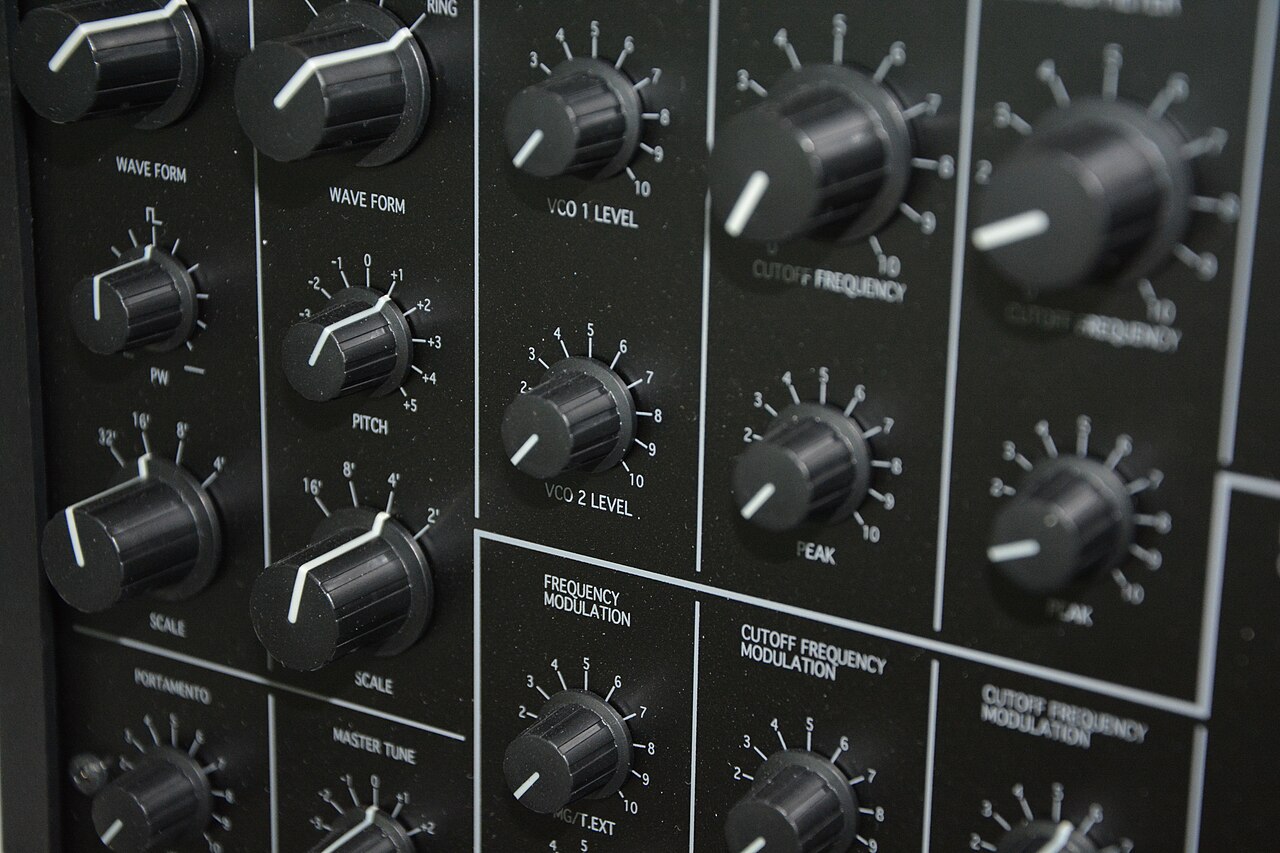
A useful synth encoder test depends on knowing how that model is designed to behave. Many instruments accelerate values when you turn quickly, use coarse steps for some parameters, or map knob movement to values nonlinearly, so a display that skips numbers is not, on its own, a sign of wear. Check the exact model's manual for how encoders and parameter values are meant to respond, then turn each control slowly and steadily.
What matters is consistency. Erratic jumps during slow movement, values that reverse direction while you turn one way, readings that flicker while the knob is untouched, or moments where nothing responds are the patterns worth noting. Apply the same idea to potentiometers, sliders and buttons: assign a control to something audible, such as filter cutoff, and listen for crackles or dead spots mid-travel. Press every button, including shift functions, and confirm indicators light. Record what you find rather than assuming a fix will be minor.
Verify USB, MIDI and audio connectors with known cables
Bring cables you have already confirmed work elsewhere. If a test fails with the seller's cable, you cannot tell whether the cable or the jack is at fault. For a synthesizer USB port check, connect to a computer and see whether the device is recognized; the manufacturer's support page shows which drivers or software the model expects, as Korg's minilogue xd page does [S1]. Gently move the connected cable and watch for disconnections.
For MIDI, a published MIDI implementation document, such as the one on that same Korg page [S1], helps you decide which messages to test in each direction. Connect headphones and the main outputs to a monitor or interface and listen for hum, crackle or a dead channel while lightly moving each plug. Check any audio input, sustain pedal and expression jacks the manual lists.
Test patch recall with seller consent and backups
Saved patches confirm that memory and recall work, and they may include the seller's own sounds, which remain theirs until the sale closes. Ask before stepping through presets. Load several from different banks and confirm they sound complete and consistent. If the seller wants to keep their sounds, they can back them up first, using the manufacturer's librarian tool where one exists.
Do not erase, overwrite or factory-reset memory as a pre-purchase test, and do not flash firmware; an interrupted update risks leaving the unit unusable. Also remember that downloadable manuals or software do not prove the unit's current operating system or compatibility with your computer. If that matters, ask the manufacturer directly.
Check support availability and total repair exposure
Think about what happens if something fails in a year. See whether the manufacturer still hosts manuals, drivers and software for the model, then ask the manufacturer or an authorized service center whether parts and repairs are still offered. File availability alone does not guarantee parts.
Then total the real cost: purchase price, shipping, a correct power supply, missing accessories and a repair allowance for anything you flagged. Get an actual estimate from a technician for specific faults instead of guessing. A cheap unit with a known fault and no available parts can end up costing more than a clean one at a higher price.
Red flags and how to verify claims
The Reddit anecdotes about inaccurate condition labels [R1] are a reminder to verify rather than trust a grade. Some marketplaces publish definitions for their condition grades, so read the platform's definition and compare it with functional evidence. Where no definition exists, treat the label as the seller's description. Ask for a short, unedited video showing the serial number, every key played in order, each control turned, and cables connected and moved.
Warning signs include edited clips that skip sections, photos that hide the panel or ports, refusals to show the unit powered on, pressure to pay outside a marketplace checkout, vaguely described third-party power supplies, removed serial numbers, and descriptions lifted from manufacturer marketing. Compare listing photos with official product images to confirm the model matches.
- Request an unedited video with the serial number visible
- Keep all messages inside the marketplace
- Ask directly about past repairs or modifications
Hypothetical worked example
Hypothetical: a buyer finds a listing for a mid-size polysynth graded excellent, with no power supply included. They download the exact model's manual, confirm the adapter specification and price a correct replacement. On a video call, two adjacent high keys sound only with a hard strike. During a slow, steady sweep, one encoder jumps erratically and briefly reverses, behavior the manual does not describe.
The buyer asks a local technician for a rough estimate on the keys and encoder, adds the adapter and shipping, and finds the total close to the price of a cleaner unit. They offer a lower price in writing that reflects the faults, and the seller declines. Walking away cost nothing; buying blind could have meant a repair bill.
When escalation makes sense
If a unit arrives with undisclosed problems, act quickly and document everything: unboxing video, damage photos, recordings of faults and the original listing. Reverb's seller help describes a protection window for damaged or not-as-described items, an evidence-collection step and a return or refund workflow, and says a seller's own return policy does not erase that platform protection [S2]. Check the current page for the exact timeframe; this is one marketplace's policy, not law, and other platforms differ.
Contact the seller through platform messaging first, then open a formal case if needed. For electrical warning signs such as burning smells, smoke or an overheating supply, stop using the unit and have a qualified technician assess it. For payment disputes beyond the platform, ask your card issuer or payment provider about their process.
Your next steps
- Confirm the exact model, edition and serial number, then download its official manual
- Verify the specified power supply and budget for a correct replacement if missing
- Play every key softly and firmly, noting dead, late or uneven notes
- Check the manual for expected encoder behavior, then sweep each control slowly while listening
- Test USB, MIDI and audio jacks with known-good cables, moving each plug gently
- Recall saved patches only with seller consent; never erase memory or update firmware
- Ask the manufacturer or authorized service about parts and repair availability
- Record an unedited test video and keep all communication on the marketplace
Questions that come up next
Can I test a used synth properly without meeting in person?
Partly. Ask for a live video call or unedited recording showing the serial number, every key played softly and firmly, each control swept slowly, and cables connected and moved. Remote checks cannot reveal everything, so buy through a platform with documented buyer protection and test thoroughly as soon as the unit arrives.
Does a skipping value on the display mean an encoder is worn?
Not by itself. Many synths accelerate values with fast turns, use coarse steps or map controls nonlinearly. Read the exact model's manual, then turn slowly and steadily. Erratic jumps, values reversing direction, flickering while untouched, or dead spots are more meaningful signs worth recording and raising with the seller or a technician.
Is a seller's no-returns policy the final word on a faulty unit?
Not necessarily. Reverb's seller help says a seller's return policy does not erase its damaged or not-as-described protection [S2]. Other marketplaces have their own rules, and policies can change, so read the current terms for your platform, note any deadline, and gather clear evidence before opening a case.
Sources & further reading
Community discussions identify lived problems; they do not establish technical or legal requirements. Primary references support the specific claims cited above.
- R1 / COMMUNITY DISCUSSIONHow risky is it to buy used synths? ↗
- S1 / PRIMARY REFERENCEKorg minilogue xd support and manuals ↗
- S2 / PRIMARY REFERENCEReverb: Buyer reports issues on an order ↗